
Hire remote offshore developers in India the smart way. Get...

IT Technical Support for Small Businesses: What You Actually Need
A 22 person marketing agency in Austin lost six hours of a client deliverable week when its shared drive went down and nobody on staff actually owned IT as a real responsibility. Two states away, a UK based e-commerce operator lost two full days of order processing after an employee’s laptop failed and nothing on it had ever been backed up. Neither business was reckless. They simply never got around to formalising IT technical support for small businesses, because the pain of doing it never felt as urgent as the next client deadline.
That is the gap this guide is written for. At some point, a small business outgrows the informal setup, a founder who knows a bit about computers, a freelancer on call, a shared password document, but a full time IT hire still feels hard to justify on a 15 or 30 person headcount. The cost of waiting does not show up as one dramatic event. It shows up as repeated small outages, a near miss security incident, and an employee who has quietly become the unofficial IT department and resents it.
This guide covers what small business IT technical support actually includes, what it should cost at different team sizes, how to tell a right sized provider from an oversized MSP quoting enterprise pricing, and the specific mistakes that cost small businesses money and time when they buy support for the first time. It is written for the owner, office manager, or operations lead who needs to make this decision without a technical background.
Why Small Businesses Fall Behind on IT Until Something Breaks
Small businesses typically delay formal IT support because founders are already stretched across too many roles, they assume their size makes them an unlikely target, and one tech savvy employee informally absorbs the work until that person leaves, burns out, or simply cannot keep up.
The pattern is consistent across industries. A founder who set up the original laptops and Wi-Fi router becomes the default IT contact, not because they chose that role, but because nobody else stepped in. As headcount grows past 10 or 15 people, that arrangement starts to fail quietly. Software licenses go untracked. Backup exists in name only, if at all. Security patches get applied whenever someone remembers.
The assumption that a small business is too small to be worth attacking does not hold up. Verizon’s Data Breach Investigations Report has repeatedly found that a meaningful share of confirmed breaches involve small organisations, often because attackers specifically target businesses with weaker defenses rather than avoiding them. Size does not provide protection. It usually means less capacity to detect and respond quickly.
The real cost of reactive IT is rarely calculated properly. ITIC’s downtime cost research consistently shows that even a modest outage carries a real hourly cost once you account for lost staff productivity, missed client commitments, and recovery time, not just the hours the system was actually down. Formal IT support is not an optional upgrade at that point. It is a structural fix to a structural gap that ad hoc arrangements were never designed to close.
What IT Technical Support for Small Businesses Actually Includes
IT technical support for small businesses typically includes helpdesk and remote troubleshooting, device and software management, backup and disaster recovery, network support, basic cybersecurity, software license management, and employee onboarding and offboarding, not enterprise level compliance or dedicated on site staff.
Most small business owners have never seen a clear breakdown of what they are actually buying, which makes it easy for a vendor to either underdeliver or oversell.
A right sized package typically covers:
- Helpdesk and remote troubleshooting for day to day issues, from a frozen application to a printer that will not connect
- Device and software management, including patching, updates, and keeping an accurate inventory of what hardware and licenses the business actually has
- Backup and disaster recovery, meaning data is not just stored somewhere but is regularly tested to confirm it can actually be restored
- Network and Wi-Fi support, including basic firewall configuration and connectivity troubleshooting
- Cybersecurity basics, specifically endpoint protection, patch management, and phishing defense training, not a full security operations centre
- Vendor and software license management, so the business is not paying for seats nobody uses or missing renewal dates that create gaps
- New employee onboarding and offboarding, covering laptop setup, access provisioning on day one, and access revocation the moment someone leaves
What a small business typically does not need is just as important. Enterprise SOC operations, a dedicated on site IT staff member, or complex compliance frameworks like SOC 2 or HIPAA are usually unnecessary unless the business is in a regulated industry or handling sensitive customer data at scale. A provider who tries to sell a 20 person business a compliance package built for a 500 person enterprise is not solving a real problem. They are padding the invoice.

How to Choose IT Technical Support for a Small Business in 5 Steps
Choosing IT technical support for a small business involves auditing your current devices and gaps, defining coverage hours you actually need, comparing pricing models against your team size, checking real SLA response times, and running a short trial engagement before signing a long term contract.
- Audit what you actually have. List every device, user, and piece of software currently in use. Most businesses underestimate this until they count it, and providers cannot quote accurately without it.
- Define your real coverage hours. A 9 to 5 support window may be fine for an internal professional services team but inadequate for an e-commerce business or one serving clients across time zones.
- Match the pricing model to your size. Per device, per user, and flat fee structures all behave differently depending on team size, and a mismatch here is one of the most common places small businesses overpay.
- Verify SLA response times, not just resolution promises. Ask for actual historical response data, not a number pulled from a sales deck.
- Run a short trial or limited scope engagement first. A provider confident in their service will not need a two year contract to prove value in the first 90 days.
Signs Your Small Business Needs IT Support Now, Not Later
Recurring Small Outages Nobody Is Tracking
When the Wi-Fi drops for the third time this month, or a shared drive becomes unreachable for an hour and everyone just waits it out, that is not bad luck. It is an unmanaged environment, and each incident quietly costs staff hours that nobody is adding up.
One Person Has Become the Unofficial IT Department
If there is one employee everyone messages when something breaks, that person is absorbing a real cost the business has never budgeted for, and the business has a single point of failure. When they leave, that knowledge leaves with them.
You Have No Backup Strategy You Can Actually Explain
If nobody in the business can describe, in plain terms, where backups live and how recently they were tested, there is effectively no backup strategy. A backup that has never been restored successfully is not a safety net, it is an assumption.
A Near Miss Security Incident Already Happened
A phishing email that almost got clicked, or a laptop that was briefly lost before being found, is a warning, not a relief. Businesses that treat a near miss as a non event tend to have the real event later, without the same luck.
You Are Scaling Headcount Faster Than Your Systems Can Handle
Onboarding five new hires in a quarter without a formal IT process usually means inconsistent laptop setups, delayed access, and security gaps introduced by rushed provisioning. Growth without an IT structure to match it is where most small business IT failures actually originate.
If any of the signs above sound familiar, it is worth getting a no obligation review of your current IT setup before committing to any plan, so you know exactly what gaps you are solving for.
In House vs Outsourced vs Break-Fix: Which Model Fits Your Stage
In house IT suits businesses with complex, specialised systems and the budget for a full time hire, outsourced managed support suits most small businesses needing predictable coverage without full time headcount, and break-fix suits very small teams with minimal IT dependency who can tolerate occasional delays.
| Factor | In House IT | Outsourced Managed Support | Break-Fix Support |
|---|---|---|---|
| Response time | Immediate, if the person is available | Defined by SLA, typically fast and consistent | Reactive, only when something breaks |
| Cost structure | Fixed salary, benefits, and tooling costs | Predictable monthly fee | Variable, pay per incident |
| Coverage hours | Limited to one person’s availability | Often extended or 24×7 depending on plan | No ongoing coverage |
| Scalability | Difficult, requires new hires as you grow | Scales with plan tier as headcount grows | Does not scale, gets worse as complexity grows |
| Proactive vs reactive | Depends entirely on that person’s bandwidth | Proactive monitoring is standard | Purely reactive |
| Best suited business size | 50 plus employees with complex systems | 10 to 50 employees | Under 10 employees, minimal IT dependency |
| Risk profile | Single point of failure if person leaves | Distributed across a team | High, no continuity or documentation |
| Management overhead | Direct management required | Minimal, vendor manages delivery | Low ongoing overhead, high incident risk |
Every model has a real gap, including outsourced support. A single in house hire creates a coverage gap the moment they take leave. Break-fix leaves a business without anyone accountable between incidents. Outsourced support is not immune either, and a provider without proper documentation handover can create its own delays during a transition. The honest answer is that most businesses between 10 and 50 employees are better served by outsourced managed support, but only if the provider is actually sized for that range rather than downsizing an enterprise package.
What to Look for When Choosing an IT Technical Support Provider
Response Time Guarantees That Are Actually Enforced
A real SLA separates response time, how quickly someone acknowledges the issue, from resolution time, how long it takes to actually fix it. Ask a prospective provider for their historical average against their stated numbers, not just the number itself. If they cannot produce that data, treat the SLA as a marketing figure rather than a commitment.
Whether the Pricing Model Fits Your Size
Per device pricing tends to suit businesses with predictable, low device counts. Per user pricing suits businesses where employees use multiple devices. Flat fee pricing suits businesses that want budget certainty above all else. A provider who only offers tiered enterprise packages, with no flexibility for a 15 person team, is signalling that small business is not really their focus.
Coverage Hours That Match How Your Business Actually Operates
A 9 to 5, Monday to Friday support window is common and often fine for a standard office. It is usually inadequate for e-commerce businesses, agencies serving clients across time zones, or any business where a Saturday outage has real financial consequences. Ask specifically what happens outside standard hours, and whether emergency coverage costs extra.
How Onboarding Actually Works
A real 30 day onboarding process includes a full asset audit, an access review across every system, documentation handover from any previous arrangement, and a baseline security setup before day to day support begins. If a provider proposes going live within 48 hours with no audit at all, that is a warning sign, not a convenience.
Whether They Understand Your Software Stack
A provider unfamiliar with your accounting software, CRM, or industry specific platform will be slower to diagnose problems and less useful during setup. Ask for examples of similar sized businesses they have supported, in your general industry, not just generic client logos.
Contract Flexibility and Exit Terms
Check the minimum contract length, what happens to your access credentials and documentation if you switch providers, and whether the provider profits from reselling specific hardware or software you are effectively locked into. A provider confident in their service rarely needs a long, restrictive contract to keep a client.
Some of these evaluation questions apply just as directly when a growing team needs specialised IT talent rather than ongoing support. Staff augmentation for IT teams follows a similar logic, matching the engagement model to what the business actually needs at its current stage, rather than defaulting to a full time hire.
Cost of IT Technical Support for Small Businesses
| Business Size | Basic Helpdesk Only | Managed IT Support (Helpdesk + Monitoring + Backup) | Fully Managed with Cybersecurity Bundled | Approx. Cost per Employee/Month |
|---|---|---|---|---|
| 1 to 10 employees | $300 to $700 | $700 to $1,500 | $1,500 to $2,500 | $75 to $150 |
| 11 to 25 employees | $800 to $1,800 | $1,800 to $3,500 | $3,500 to $5,500 | $60 to $120 |
| 26 to 50 employees | $1,800 to $3,500 | $3,500 to $6,500 | $6,500 to $10,000 | $50 to $100 |
These ranges vary based on number of devices, whether support is fully remote or includes occasional on site visits, and whether cybersecurity and backup are bundled or billed as separate line items. A provider quoting significantly below these ranges for full coverage is usually excluding something, most often backup, security, or after hours response.
The comparison small businesses rarely run properly is total cost of ownership against one internal IT hire. A single IT employee, once salary, benefits, tooling, and training are included, frequently costs more than a managed support plan covering a 25 person team, and that one person still leaves a coverage gap whenever they are on leave or sick. Outsourced support does not eliminate that tradeoff entirely, but it distributes coverage across a team rather than resting on one individual.
See the real gap between reactive costs and predictable support: the hidden cost of downtime and ad hoc fixes adds up faster than a monthly plan. Get a cost comparison for your specific team size before deciding what to budget for.
How Fast Should a Small Business Get IT Support Running
A properly onboarded IT support engagement for a small business typically takes two to four weeks from first inquiry to full go-live, covering assessment, contract and audit, access handover, security setup, and helpdesk activation.
- Week 1: Initial assessment and quote. The provider reviews current devices, systems, and pain points to scope an accurate plan.
- Week 1 to 2: Contract and asset audit. A full inventory of devices, licenses, and access points is documented, often the step that reveals gaps the business did not know it had.
- Week 2 to 3: Systems access and documentation handover. Credentials, admin access, and any existing documentation transfer to the new provider.
- Week 3: Baseline security setup. Endpoint protection, patching schedules, and backup verification are put in place before support formally begins.
- Week 3 to 4: Go-live for helpdesk support. Day to day support becomes active, typically with a short adjustment period as the team gets used to the new process.
Timelines slow down most often when device inventories are incomplete, systems are undocumented from a previous informal arrangement, or nobody at the business has clear authority to approve access changes quickly. Businesses that arrive with an organised asset list tend to move through onboarding noticeably faster.
In my experience onboarding small businesses onto managed support, the single biggest delay is almost never the technical setup itself. It is discovering, partway through the asset audit, that nobody actually knows where three or four laptops are, or that a “backup” the business had been relying on was never tested and would not have actually restored anything. Getting that visibility early, even before signing anything, saves weeks later.
Common Mistakes Small Businesses Make When Buying IT Support
- Choosing the cheapest quote without checking what is excluded. The lowest number on a proposal often excludes backup, after hours coverage, or cybersecurity, which then get billed separately later.
- Assuming “support” automatically includes backup and disaster recovery. Many basic helpdesk plans do not include this by default. It has to be confirmed explicitly.
- Not auditing how many devices and users actually need coverage before signing. Businesses frequently pay for licenses on devices that were retired months ago.
- Signing a long contract before a trial or short term engagement. A 90 day or six month initial term reveals far more about service quality than a sales call does.
- Overlooking after hours coverage for a business that operates outside standard hours. This becomes obvious only during the first weekend outage, which is the worst possible time to discover it.
- Not budgeting separately for cybersecurity as its own line item. Bundled cybersecurity is common, but businesses should know exactly what is and is not included rather than assuming it is comprehensive.
- Failing to get access and documentation handover terms in writing before an incident happens. This matters most when switching providers, and it is far harder to negotiate after something has already gone wrong.
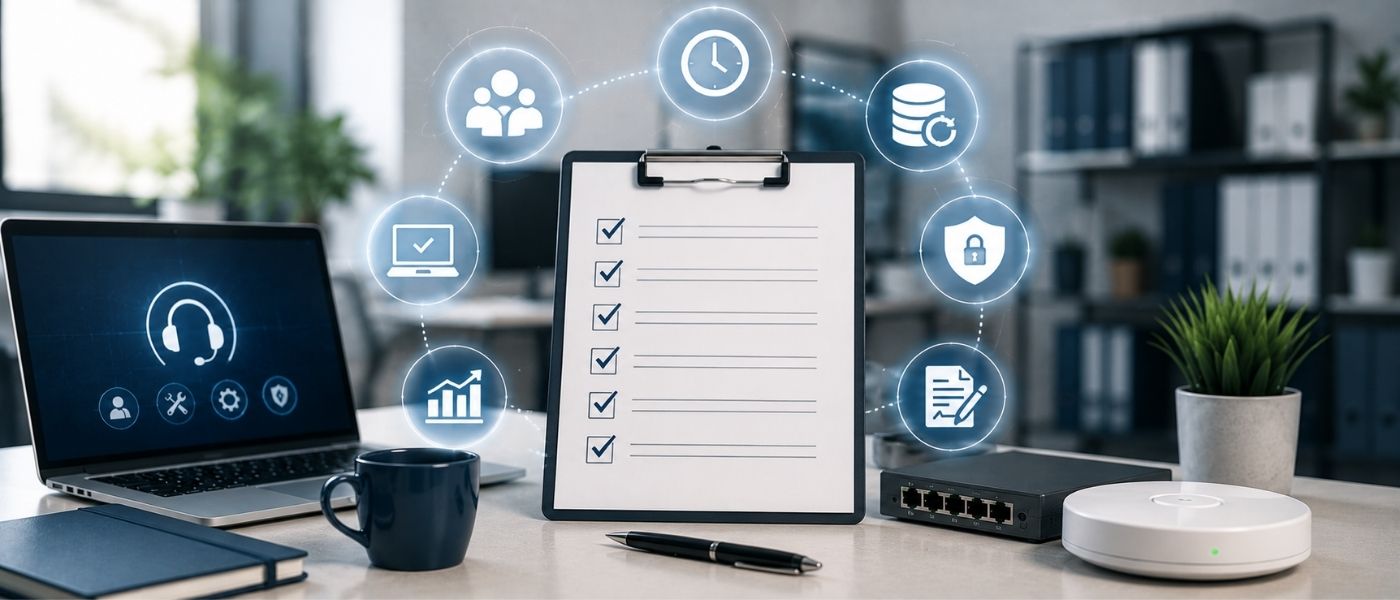
Small Business IT Support Evaluation Checklist
- Have you audited your current devices, users, and software licenses
- Have you defined the coverage hours your business actually needs, not just standard business hours
- Have you confirmed whether backup and disaster recovery are included or billed separately
- Have you asked for historical SLA response data, not just stated response times
- Have you checked the provider’s experience with businesses your size, in your general industry
- Have you reviewed contract length, minimum commitment, and exit or handover terms
- Have you confirmed what cybersecurity coverage is actually included versus optional
- Have you asked what the first 30 days of onboarding will specifically involve
FAQ
How much does IT technical support cost for a small business?
Costs typically range from $300 to $700 a month for basic helpdesk coverage in a 1 to 10 employee business, up to $6,500 to $10,000 a month for fully managed support with cybersecurity bundled in a 26 to 50 employee business. Exact pricing depends on device count, coverage hours, and whether backup and security are included or billed separately.
Do small businesses actually need IT technical support?
Most small businesses beyond 10 employees benefit from formal IT support, since informal arrangements built around one tech savvy employee typically fail as headcount and system complexity grow. The real question is usually which model fits, not whether support is needed at all.
What is the difference between in house and outsourced IT support for small business?
In house IT means a direct employee handling support, which offers immediate access but creates a single point of failure and limited scalability. Outsourced support distributes coverage across a provider’s team, typically offering more consistent response times and easier scaling as the business grows.
What does IT technical support include for a small business?
It typically includes helpdesk and remote troubleshooting, device and software management, backup and disaster recovery, network support, basic cybersecurity, license management, and employee onboarding and offboarding. It usually does not include enterprise compliance frameworks or dedicated on site staff.
How to choose IT technical support for a small business?
Audit your current devices and systems, define the coverage hours you actually need, compare pricing models against your team size, verify real SLA response data, and run a short trial engagement before committing to a long term contract.
What are the signs your small business needs IT support?
Recurring small outages, one employee informally handling all IT issues, no tested backup strategy, a recent near miss security incident, and headcount growth outpacing your current systems are all clear signs formal support is overdue.
Is affordable IT technical support realistic for startups, or does quality always cost more?
Affordable, quality support is realistic when the plan is sized correctly for the business, rather than a scaled down enterprise package. Overpaying usually comes from mismatched pricing models or unnecessary features, not from quality itself.
How long does it take to set up outsourced IT support for a small business?
A properly managed onboarding typically takes two to four weeks, covering assessment, asset audit, access handover, baseline security setup, and helpdesk go-live. Businesses with organised device inventories tend to move through this faster than those without.
Recent Post
How to Hire a DevOps Engineer: Skills, Cost & Interview Checklist
Learn how to hire a DevOps engineer in 2026, with...
How to Hire Remote Software Engineers in India: Cost, Process, and Hiring Models for 2026
Compare costs, hiring models, and a step-by-step process to hire...

iValuePlus Services
iValuePlus is a one-stop solution to address all your needs to access, build and grow your business in the Indian market which is cost-effective & has a huge talent pool. Established in 2019 as a ‘Business Solution provider', our team has delivered successful growth projects in the international market.
Our services include setting up ODC (offshore development center), Staff Augmentation, Talent Acquisition, Digital Marketing, in the IT/ITES domain.